Record. Click. The zoom follows.
ZonaReq Recorder follows your cursor and zooms in where you click, like the product videos you see on social media. You record the demo; the editor gives it pacing.
Free up to 3 minutes per recording · No account · Everything runs in your browser
Three steps, nothing to learn.
Choose what to record
A tab, a window or the full screen, with system audio and your microphone if you want them.
Work as usual
While you record, the extension notes where your cursor is and where you click. Nothing else.
Trim and export
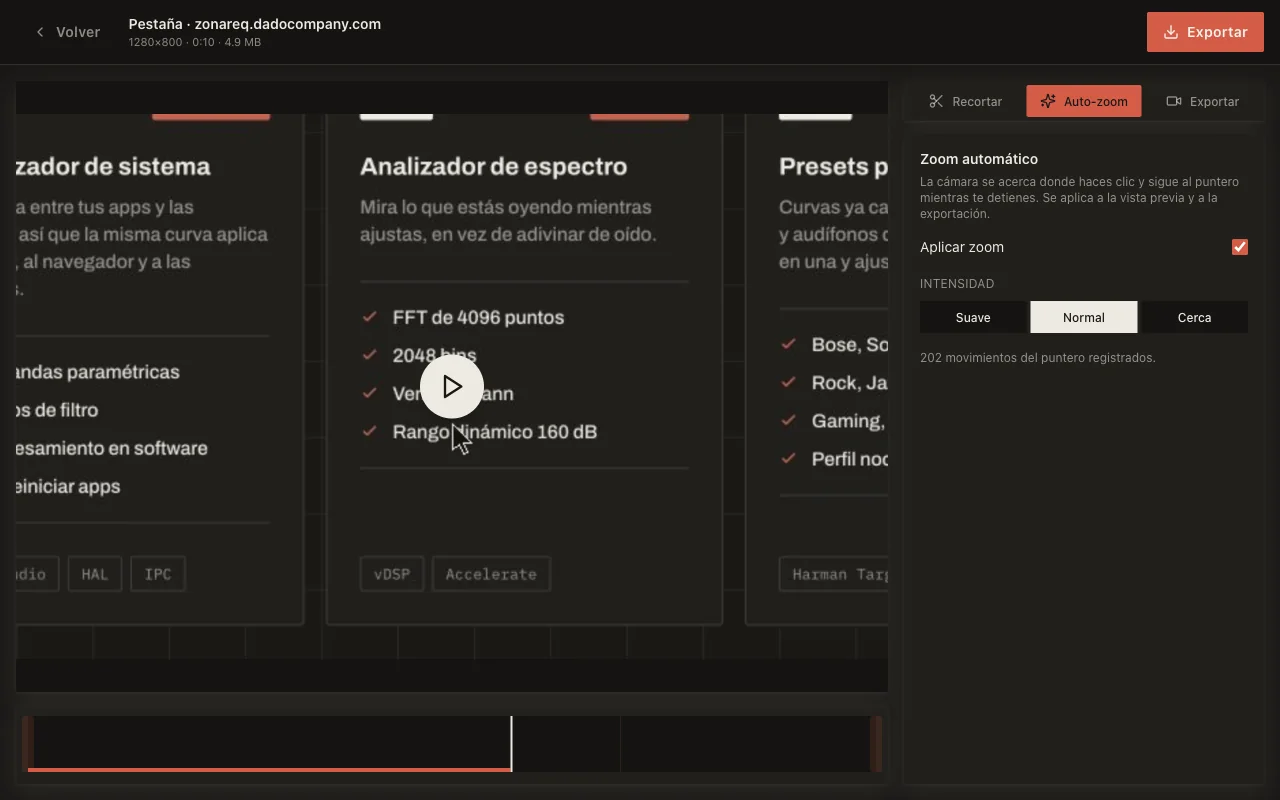
The editor zooms in on every click and follows the pointer when you pause. Set the intensity, trim, download as MP4.
What it does, and what it does not.
Auto zoom that follows the cursor
Three intensities and a live preview. Motion is eased; a shaky hand does not shake the video.
Tab, window or screen
With system audio and microphone mixed into one track. The picker is Chrome’s own; there is nothing to configure.
Export inside your browser
MP4 or WebM, produced on your machine. The video is never uploaded anywhere.
No account, no tracking
No sign-up. No analytics, no ads, no remote code. Recordings live in your browser.
Free to start. Pro to stop watching the clock.
Free
$0
- Recordings up to 3 minutes
- Full auto zoom, trimming and export
- No watermark
- No account
Pro
ZonaReq Pro
- No duration limit
- Everything in Free
- Activated with your ZonaReq licence ID
- Included in every paid ZonaReq plan
Already on ZonaReq Pro for macOS? The extension is yours: press "Activar Pro" on the recording page and paste your licence ID.
See ZonaReq plansEverything stays in your browser.
Recordings, audio and pointer positions are stored only in your browser. Chrome asks for site access the first time you record with auto zoom, and that access is used only to know where the pointer is while a recording is active. The only network connection is the optional activation of a Pro licence.
Read the privacy notice →- Does it work in other browsers?
- Google Chrome for now. Other browsers will follow.
- Why does it ask for access to websites?
- To read the cursor position and clicks while you record; that is what drives the auto zoom. Chrome asks the first time, not at install, and if you decline you can still record, without zoom.
- How long does the export take?
- As long as the clip: a two-minute video takes two minutes, because it is re-recorded frame by frame inside the browser. You can switch tabs meanwhile.
- Do I need the macOS app?
- No. The extension works on its own. If you also want to equalize all the audio on your Mac or record with system sound outside the browser, that is the app.
Keep reading
How to zoom in on a screen recording without editing it by hand